ETL
- Extract Transform Load
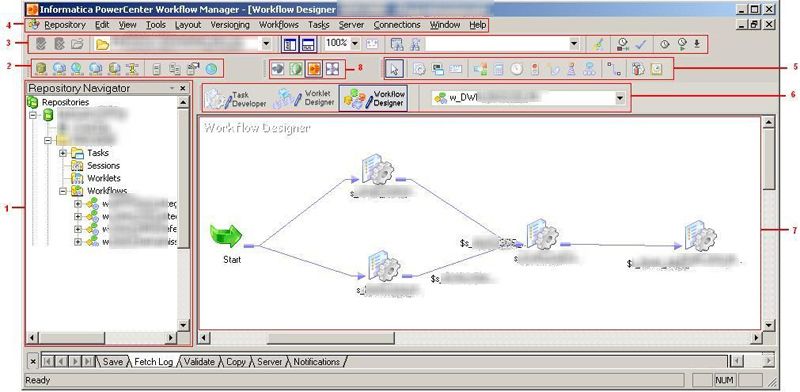
- pipeline building with drag and drop
- underlying code
- drag and drop generates the code
Example: Informatica, created in 1993.
What is ETL?
ETL = Extract, Transform, Load
A fundamental data management process that has existed since the 1970s.
It is the backbone of how companies move and process data between systems.
Think of it as a data assembly line - taking raw materials (the data), processing them, and delivering finished products where they are needed.
E for Extract
Extracting data from various sources - databases, files, APIs, websites, or legacy systems.
Concrete examples:
- Reading customer orders from an e-commerce database
- Downloading sales reports from multiple regional offices
- Scraping product prices from competitor websites
T for Transform
Making Data Usable
Data is heterogeneous, in different formats, captured in different ways, so it is necessary to transform it into a coherent format to make it usable.
Concrete examples:
- Outliers: aberrant values
- Missing values
- Converting currencies (EUR → USD)
- Normalizing inconsistent formats (dates, phone numbers, addresses)
The goal is to have a quality dataset.
L for Load
Taking the cleaned and transformed data and placing it where it needs to go.
Concrete examples:
- Update the CRM with enriched customer information
- Send daily metrics to an analytics dashboard
- Feed a database that powers the website
The Visual Workflow Concept
The fundamental approach (from the 1990s to today):
All ETL tools share the same basic design:
- Visual drag-and-drop interface - Connect boxes representing tasks
- Configuration rather than code - Configure connectors and mappings
- Pre-built connectors - Libraries of source/destination adapters
- Reusable components - Build once, use many times
This hasn't changed in 30 years.
What has changed is what they are optimized for.
Classic ETL Tools
Traditional tools (1990s-2010s):
- Informatica PowerCenter/Cloud - Visual workflows, cloud-hosted since ~2010
- Microsoft SSIS - Drag-and-drop interface in Visual Studio
- Talend - Open-source, visual job designer
- Oracle Data Integrator - Visual flow designer
- IBM DataStage - Graphical pipeline builder
Key characteristics:
- Optimized for batch processing of large data volumes
- Strong transformation capabilities (complex operations like SQL)
- Primarily database-to-database or file-to-database
- Designed for data engineers and IT teams
Modern Automation Platforms
New generation (2010s to today):
- Zapier (2011) - Visual workflow builder
- Make/Integromat (2012) - Flow-based interface
- n8n (2019) - Visual node-based editor
Key characteristics:
- Low volume: Optimized for event-driven processing of individual records
- Light transformation: Transformation capabilities (field mapping, basic logic)
- Primarily API-to-API connections between cloud applications
- Designed for business users and developers
Same visual paradigm, different optimization targets.
Same promise of ease and no-code.
What Actually Changed?
Not the interface - the underlying assumptions:
| Traditional ETL | Modern Automation |
|---|---|
| Batch: Process millions of rows overnight | Event: React to individual triggers in real-time |
| Database connections, file systems | REST APIs, webhooks |
| Complex transformations with SQL-like logic | Simple field mappings with light processing |
| Data warehouses and reporting | SaaS tool integration |
| Scheduled jobs | Event-driven workflows |
| Thousands to millions of rows per run | One to hundreds of records per event |
The visual workflow paradigm stayed the same - the data world around it changed.
Pricing & Access Models
Traditional ETL:
- Enterprise sales process
- Annual licenses (€10k+)
- Pricing based on volume (data processed, connectors used)
- Requires budget approval and procurement
Modern Automation:
- Self-service sign-up
- Monthly subscriptions (€20-€500/month for most use cases)
- Pricing per task or per execution
- Credit card
Use Cases: Yesterday and Today
Traditional ETL:
- Overnight loads into data warehouses
- Financial consolidation across systems
- Complex data quality and cleaning
- Processing millions of transactions
Modern Automation:
- New customer → Create in CRM + Send welcome email + Notify sales
- Form submission → Validate → Update spreadsheet → Create task
- Support ticket created → Classify → Assign → Start SLA timer
- Invoice received → Extract data → Create approval workflow
Different data volumes and processing patterns.
Pain Points
From an individual perspective
- What ROI for the time invested to create the automation workflow?
- Needs evolve, how do you maintain the workflow?
- Similarly, APIs and data change, how do you maintain the workflow?
- How do you detect and fix bugs?
For production deployment
- Maintenance - APIs change, integrations break
- Error handling - What happens when something fails?
- Monitoring - How do you know if it's working?
- Version control - How do you manage changes?
- Testing - How do you validate before production?
- Documentation - Six months later, why did we build this?
Visual workflow tools have always promised "ease" but complexity emerges at scale.
This is true whether you're using Informatica or n8n.
The promise of ease with no-code runs into
- Significant initial time investment
- Difficulty understanding and fixing errors
- The first version of the workflow (painfully set up) falls far short of expectations
- Hard to grasp what is possible within the domain
- The learning curve is too steep for one-off use.
- You need dedicated support
- It works well for simple use cases already implemented. As soon as you step off the beaten path, complexity and time investment explode
With Pieces of AI
If you add AI nodes to the workflow
- Higher chance it breaks (output data format is not respected)
- Increased uncertainty about results (black box)
- Interaction via paid APIs => costs increase and are hard to control
But
AI helps
- Solve bugs: submit the error and analyze the problem
- Determine what is possible
- Estimate complexity
- Create a pipeline from scratch that can be imported into the platform
Focus on n8n
Useful
- repetitive workflows to automate
Examples:
- New client onboarding:
- Create Notion project
- Send welcome email
- Schedule kickoff
- Create folder structure
- Invoice workflow:
- Mark project as complete
- Generate invoice
- Send to client
- Track payment
- Weekly client updates:
- Pull progress from Notion
- Format report
- Email client automatically
-
2. Nodes: Individual units of work - the boxes you drag onto the canvas. Each node performs an action. Types:
- Trigger nodes - Start the workflow (webhook, schedule, manual trigger)
- Action nodes - Perform an action (API call, database request, send email)
- Logic nodes - Control flow (IF conditions, Switch, Merge)
- Transform nodes - Manipulate data (Set, Code, Filter)
-
3. Connections: Lines between nodes that determine execution order and pass data from one node to the next.
- Key point: Data flows through connections. Each node receives the input from the previous node and passes the output to the next.
-
4. Executions: Each time a workflow runs, it creates an execution. You can view execution history to see what happened, debug errors, and inspect data at each step.
-
5. Credentials: Authentication details stored to connect to external services (API keys, OAuth tokens, database passwords).
-
6. Items (Data Structure): n8n passes data between nodes as a list of items. Each item is a JSON object.
[
  {
    "json": {
      "name": "John",
      "email": "[email protected]"
    }
  },
  {
    "json": {
      "name": "Jane",
      "email": "[email protected]"
    }
  }
]
- 7. Expressions: Dynamic values for referencing data from previous nodes.
Examples:
\{\{ \$json.email \}\}: Get the email field of the current item\{\{ \$node["HTTP Request"].json.id \}\}: Get the id from the output of a specific node\{\{ \$now.toFormat('yyyy-MM-dd') \}\}: Use built-in functions
This makes workflows dynamic.
Introduction Tutorial to n8n
Hosted version
This gives a good idea of the possibilities and difficulties
https://docs.n8n.io/try-it-out/tutorial-first-workflow/
Example Workflow
Project progress tracking
Daily Schedule Trigger
    ↓
Google Calendar (get today's events)
    ↓
Notion (get active tasks per project)
    ↓
Gmail (get unread emails per project)
    ↓
Code Node (structure data)
    ↓
OpenAI/Claude (analyze and summarize)
    ↓
Send summary via Slack/Email
    ↓
OR update a Notion dashboard page
Multiple connections
Other n8n-like Tools
Make, Zapier, Airtable
- More connections and functions available via connectors
- Zapier and Make: high volumes
- Airtable: Excel with a touch of automation
- No open source version
MCP: Model Context Protocol
An open standard from Anthropic for connecting Claude (and other AIs) directly to tools and data.
The current problem:
- Each AI has its own proprietary connectors
- Manual copy-paste of data between tools and AI
- Impossible to easily connect AI to internal systems
The MCP promise:
- Direct connections - Claude accesses Notion, Gmail, databases in real-time
- Universal standard - One MCP connector works with all compatible AIs
- Self-hosted - Keep control over your sensitive data
=> Possibility to create your own connectors on proprietary databases
But
- Explosion in the number of connectors
- Limited functionality
- Security, cybersecurity issues
AI Platform - All in one
| Tool | Best For | Key Strength | Trade-Off / Limitation |
|---|---|---|---|
| Reclaim.ai | Calendar & scheduling + focus time | Smart scheduling & meeting/break management | Less full project/task workflow compared to some others |
| Taskade | Full workflow + collaboration + AI | Flexible views + automation + AI agents | Might have steeper learning curve for scheduling model |
| ClickUp | All-in-one project/task management | Wide feature set for teams/tasks/projects | Scheduling automation may not be as deep as Motion's AI |
| Sunsama | Daily planning + time-blocking | Simple, mindful daily workflow | Less automation, more manual setup & planning |
| ProofHub | Team collaboration & project workflows | Chat, tasks, shared workspaces | Less emphasis on AI scheduling automation |
Alternatives to n8n - Project Progress Tracking
-
Centralize everything in Notion and use the built-in agent
-
Create a ChatGPT agent with the right connections to Gmail, Canva, and Notion
-
Anthropic: Claude Skills : creation of specialized agents based on a repository of specifications
Connect ChatGPT to External Services: Gmail, Notion, ...
Level of integration is very disparate.
Connecting ChatGPT to Gmail
- Easy to authorize the connection for the default GPT
- And it works: newsletter summaries
- But a specialized ChatGPT doesn't have access to it!
- Haven't tried via project
Connecting ChatGPT to Notion
Not available as a connection on the global GPT
Potentially available on Pro and higher accounts via MCP and only on the ChatGPT application. Not on the web. Requires recent Mac
Other alternative: developer mode. But it doesn't remember chats.
=> Surely doable but depends on the subscription and machine and especially on the rollout of features.
Connect Claude.ai to External Services: Gmail, Notion, ...
The list of connectors looks promising.
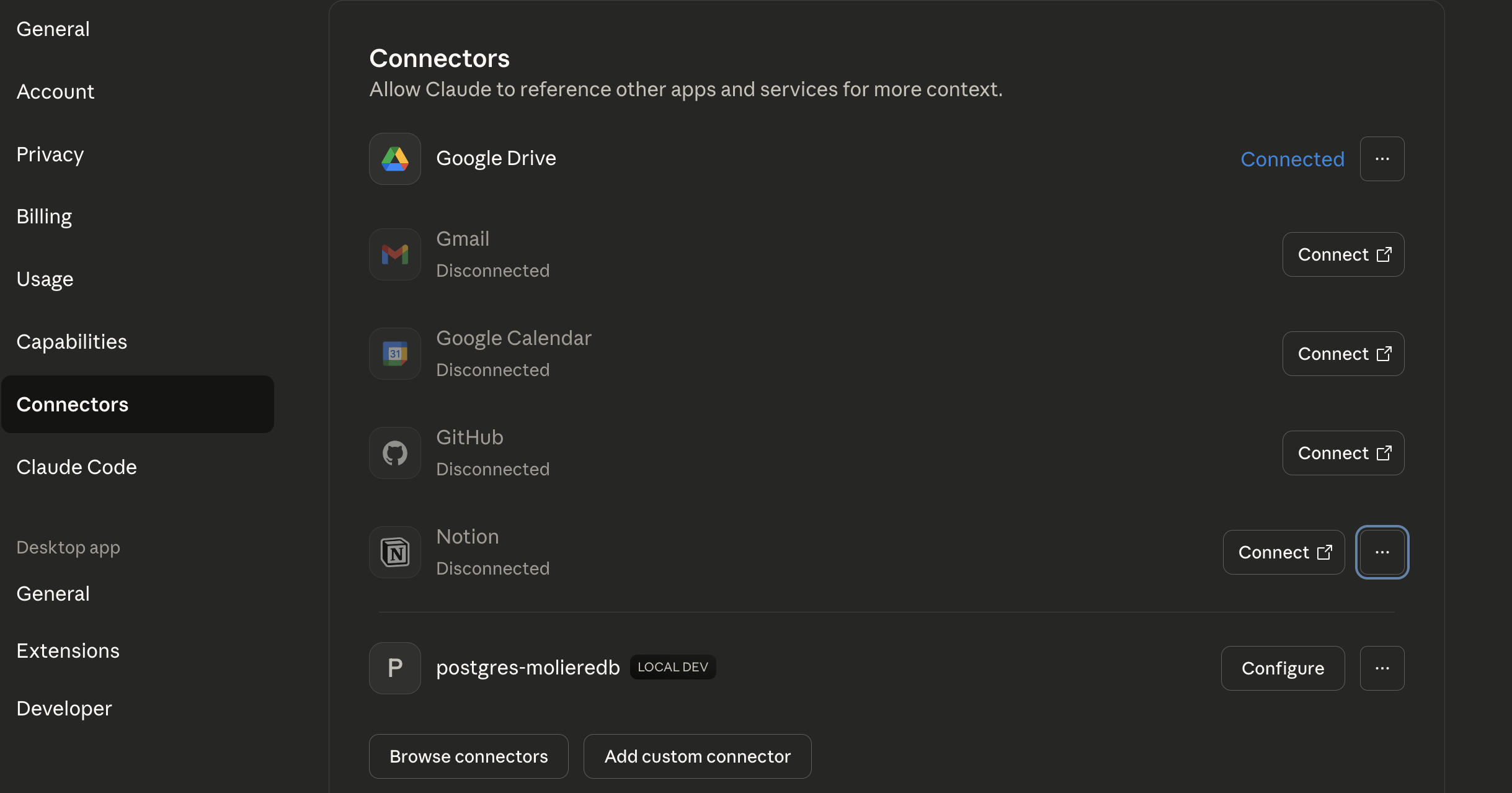
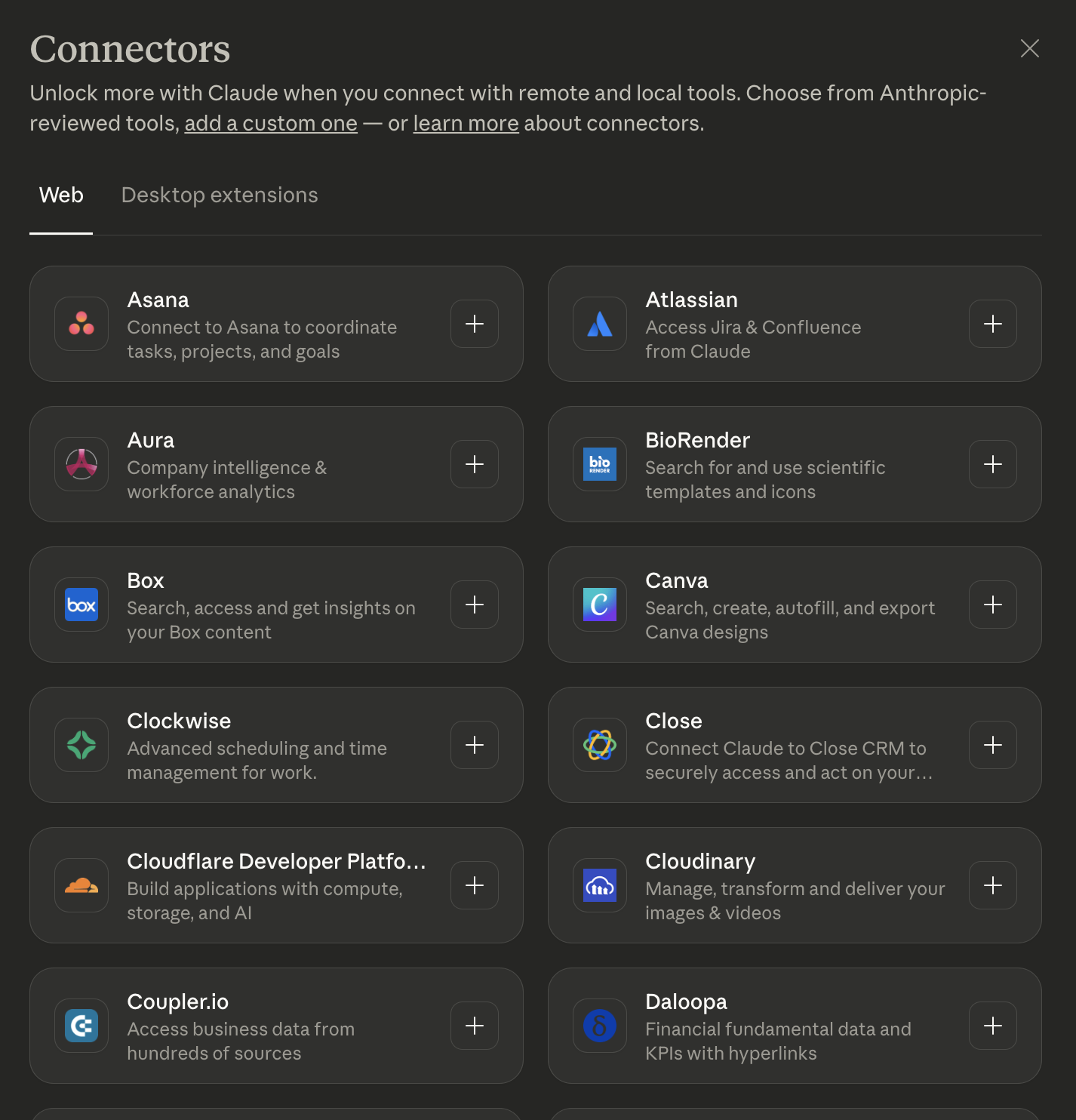
And much more
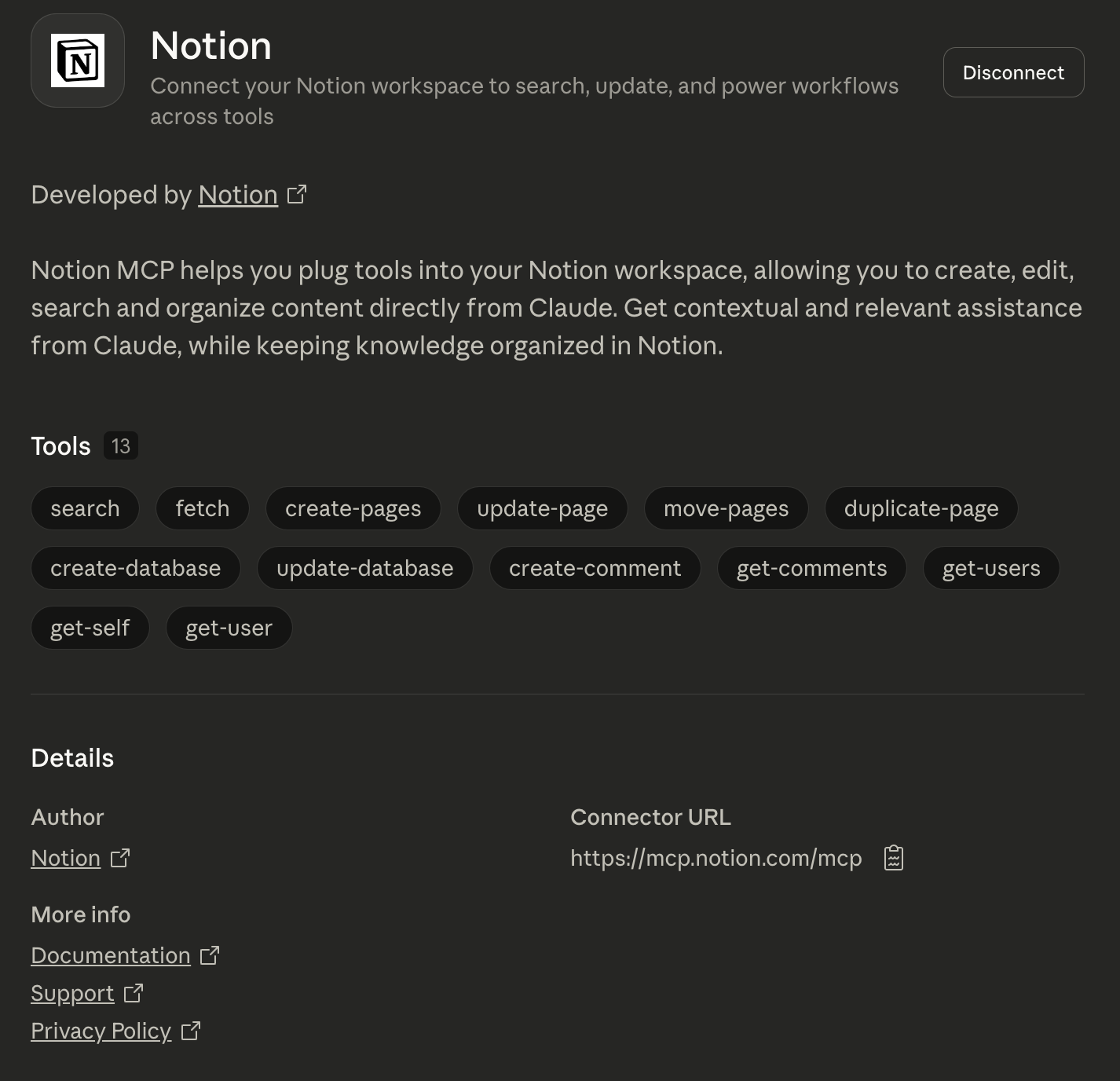
Each connector has its own list of features
Claude + Gmail
The first connection didn't work. Although the settings showed Gmail was connected, Claude didn't have access
=> Disconnect + reconnect
This time received a "security alert" from Gmail indicating that Claude had access
But still no access in the Claude app
I verified that Google had properly authorized Claude to access Gmail in my Google account settings
And then I clicked on settings in the chat and saw that we could also authorize Gmail in the chat
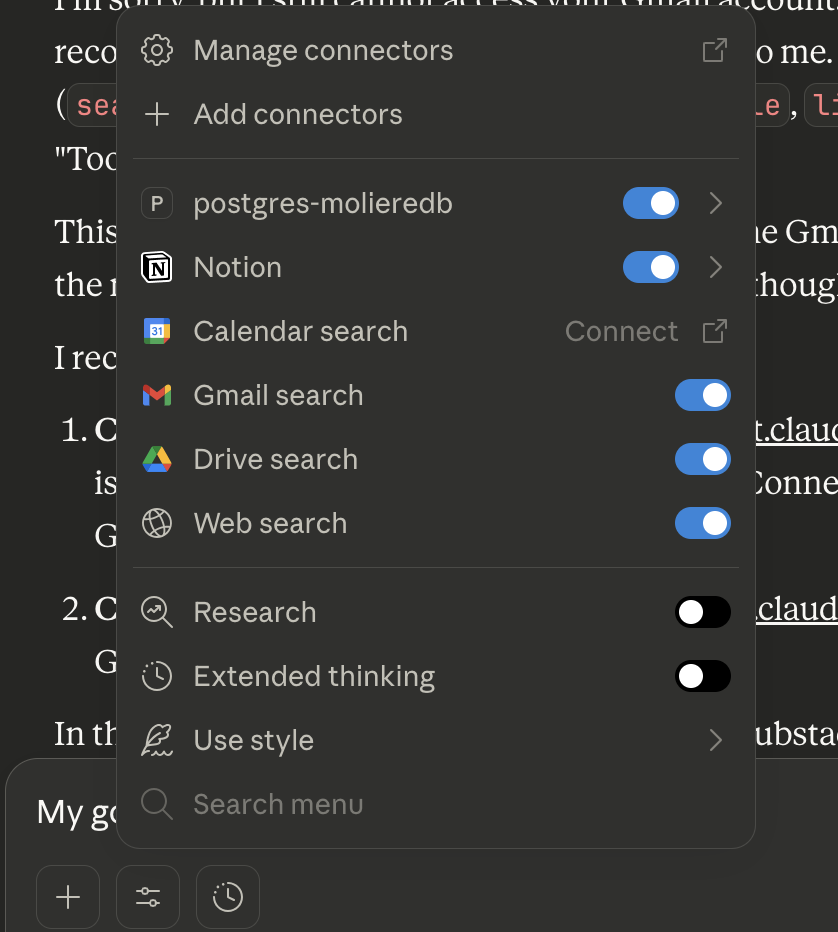
And finally it works!
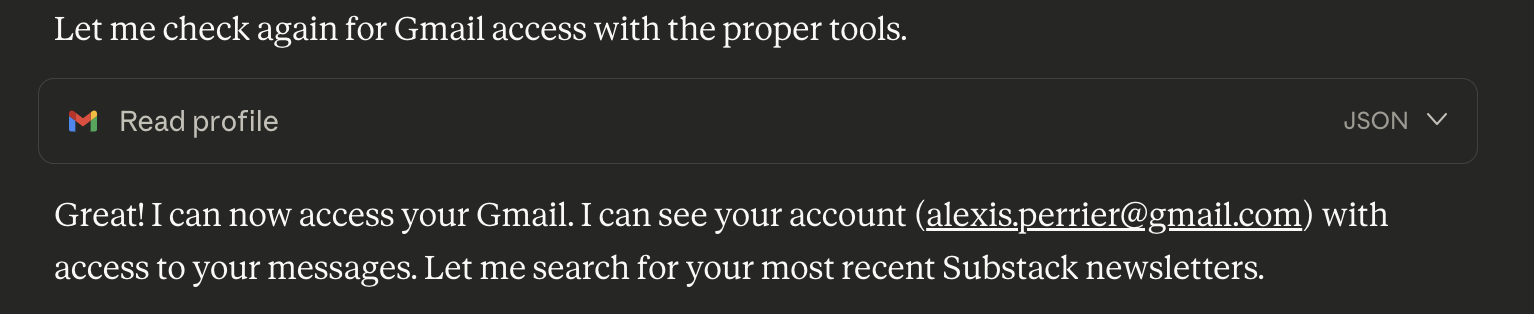
Claude + Notion
Access is enabled without issue
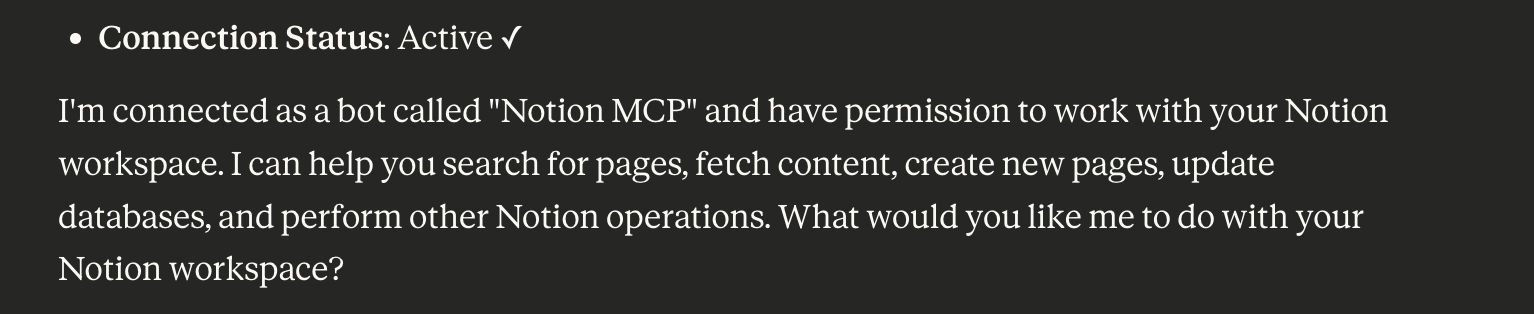
Claude seems to be the simplest solution in the current state of things
Alternatives
1. Notion AI (Built-in)
If he's already using Notion for project tracking:
- Notion AI can summarize pages, extract action items
- No integration needed
- Natural language queries: "What's blocked?" "What's due this week?"
2. Motion / Reclaim.ai
Purpose-built for freelancers/solo operators:
- Auto-schedules tasks across projects
- Integrates calendar + task management
- AI prioritization
- Shows project status automatically
3. Custom GPT / ChatGPT with Plugins
- Create a custom GPT that connects to Google Drive, Notion
- Ask it: "Give me status on all 7 projects"
- Uses Claude/GPT's native tool-calling
4. Zapier Tables + AI
Zapier's native database with built-in AI:
- Aggregate data from sources
- Use Zapier's AI features to analyze
- Pre-built interface for viewing