Neo4j Practice
Aura db
AuraDB offers free neo4j hosting.
Create an account on AuraDB and then create an instance.
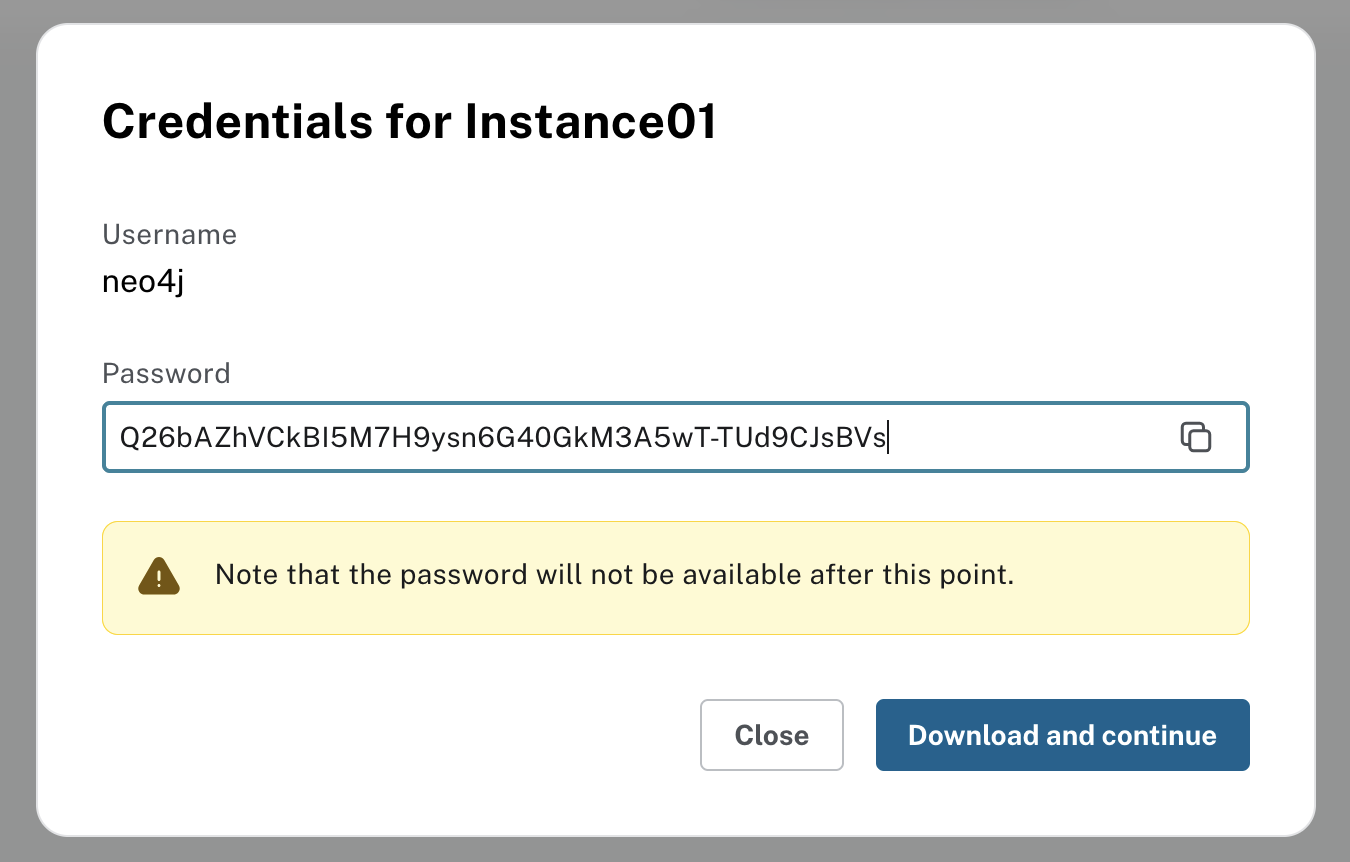
Important, save the password, you won't be able to see it afterwards
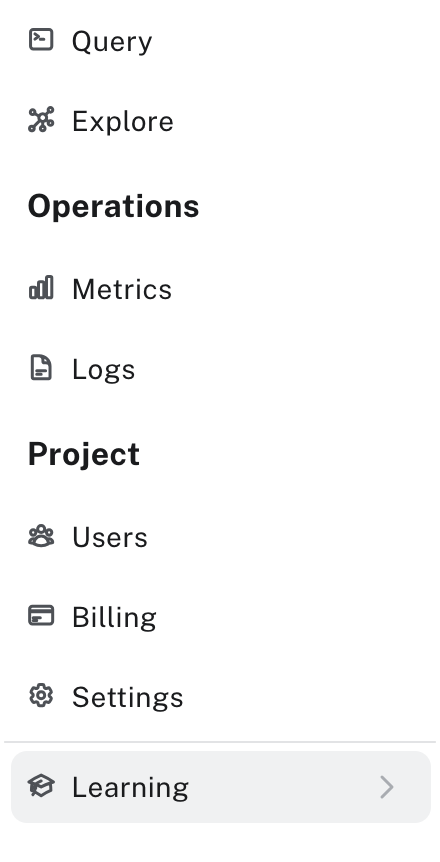
Click on the "Learning" button bottom left side of the bage,
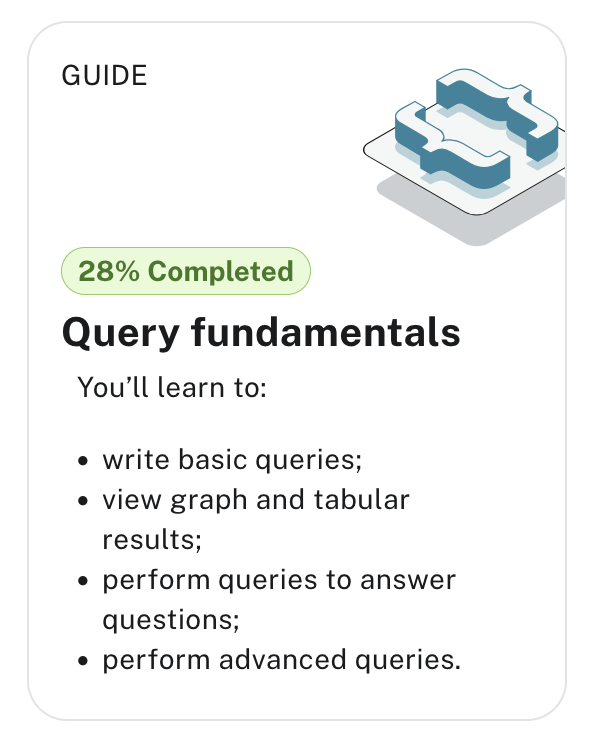
then select Query fundamentals
And connect to your instance
On page 2 of the tutorial, Load the Northwind dataset.
and click "run import", upper right
What does the Load dataset do
we can see that multiple files have been uploaded
- one file per node
- one file per relation
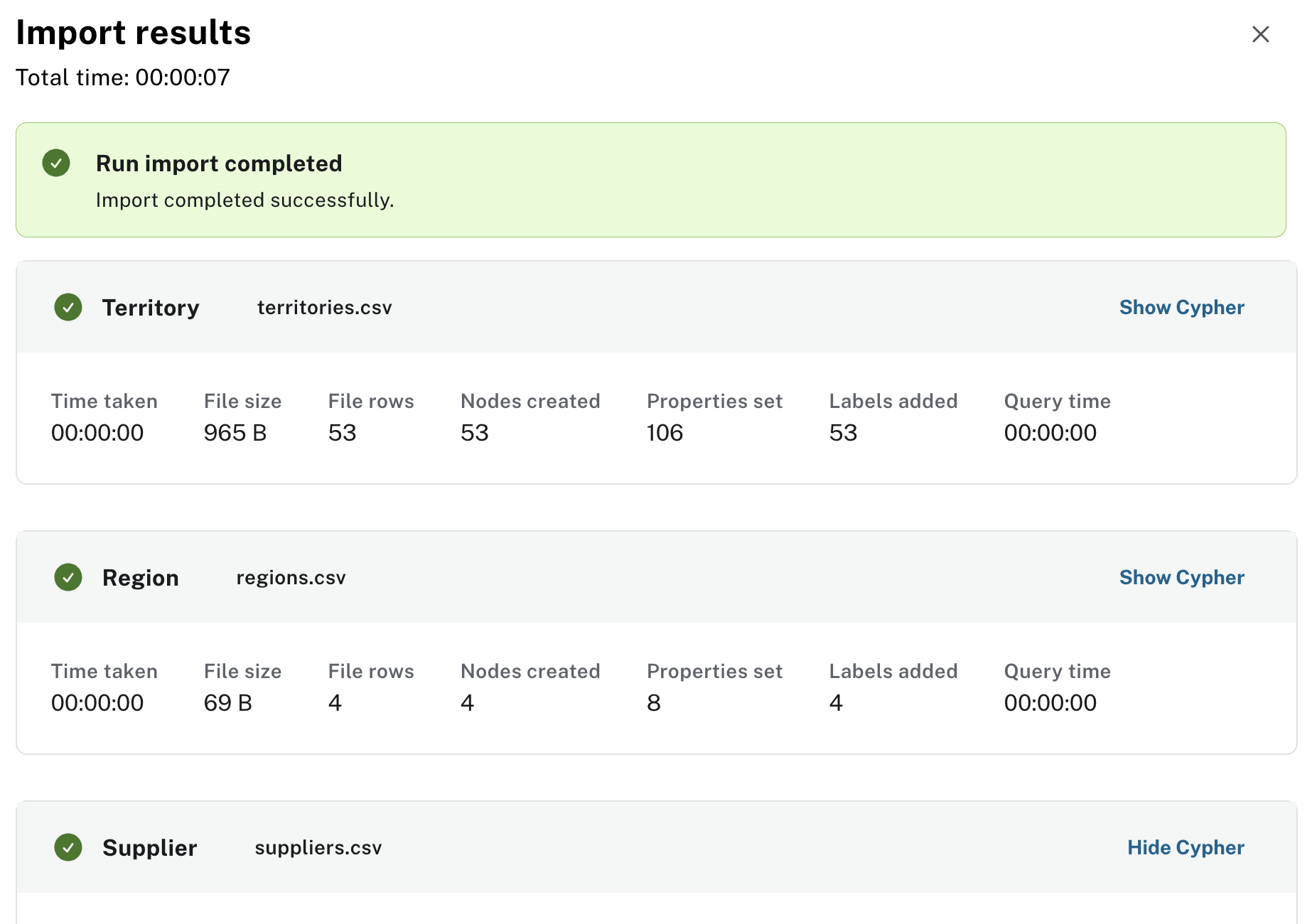
click on "show cypher" to understand how the data is loaded
cypher
The 1st cypher statements is
CYPHER 5 CREATE CONSTRAINT `territoryID_Territory_uniq` IF NOT EXISTS
FOR (n: `Territory`)
REQUIRE (n.`territoryID`) IS UNIQUE;
This creates a constraint named supplierID_Supplier_uniq
that ensures uniqueness of the supplierID property across all nodes labeled Supplier.
The constraint enforces data integrity and prevents duplicate suppliers in the dataset
the 2nd statement
Load statement

CYPHER 5 UNWIND $nodeRecords AS nodeRecord
WITH *
WHERE NOT nodeRecord.`supplierID` IN $idsToSkip AND NOT nodeRecord.`supplierID` IS NULL
MERGE (n: `Supplier` { `supplierID`: nodeRecord.`supplierID` })
SET n.`companyName` = nodeRecord.`companyName`
SET n.`contactName` = nodeRecord.`contactName`
SET n.`contactTitle` = nodeRecord.`contactTitle`
SET n.`address` = nodeRecord.`address`
SET n.`city` = nodeRecord.`city`
SET n.`region` = nodeRecord.`region`
SET n.`postalCode` = nodeRecord.`postalCode`
SET n.`country` = nodeRecord.`country`
SET n.`phone` = nodeRecord.`phone`
SET n.`fax` = nodeRecord.`fax`
SET n.`homePage` = nodeRecord.`homePage`;
Loads the dataset into the collection.
UNWIND $nodeRecords AS nodeRecord: Takes a parameter array$nodeRecordsand processes each record individuallyWHERE NOT nodeRecord.supplierID IN $idsToSkipandNOT nodeRecord.supplierID IS NULL- Filters out records that should be skipped (via$idsToSkipparameter) and records with null supplier IDs
Node Creation/Update:
MERGE (n: Supplier{supplierID: nodeRecord.supplierID }): Either finds an existing Supplier node with the givensupplierIDor creates a new one if it doesn't exist
The subsequent SET statements populate all the supplier properties:
-
companyName - The supplier's company name
-
contactName - Primary contact person ...
-
It uses MERGE instead of CREATE to handle potential duplicates gracefully: If a supplier with the same ID already exists, it will update the properties rather than create a duplicate The $idsToSkip parameter allows you to exclude certain suppliers from being processed (useful for incremental loads or handling problematic data)
This is a typical bulk data loading pattern for Neo4j - you pass in an array of records as a parameter and process them all in a single transaction for efficiency.
The original $nodeRecords object is probably loaded with
LOAD CSV WITH HEADERS FROM 'file:///suppliers.csv' AS row
WITH collect({
  supplierID: toInteger(row.SupplierID),
  companyName: row.CompanyName,
  contactName: row.ContactName
  // ... other fields
}) AS nodeRecords
Then the UNWIND statement would follow
Loading a csv dataset
For nodes
3 steps:
- load the csv data into a node object
- [opt] create uniqueness constraints
- Unwind the node opbject to populate each element into the node collection
For relations
the cypher Load statement is
CYPHER 5 UNWIND $relRecords AS relRecord
MATCH (source: `Territory` { `territoryID`: relRecord.`territoryID` })
MATCH (target: `Region` { `regionID`: relRecord.`regionID` })
MERGE (source)-[r: `IN_REGION`]->(target);
We match the Ids of both sides of the relations with exiting node Ids.
And we must do that for every relations.
A lot more work than loading a csv or json into MongoDB, weaviate or even PostgresQL (although we need to create tables first).
Data loading prep
Data Preparation Challenges
we need
- one csv per node
- one csv per relationship
- All IDs must match and exist
You can add constraints to enforce data integrity but schema validation really relies on upstream data cleaning and formatting work.
Including:
- Normalize IDs across all files
- Handle missing references (what if an orderID doesn't exist?)
- Decide on ID strategy (keep original IDs vs. generate new ones)
- Plan import order (nodes first, then relationships)
IDs can be of any type as long as they are unique.
- integer
- strings
- UUID
- Hash strings
- any unique string
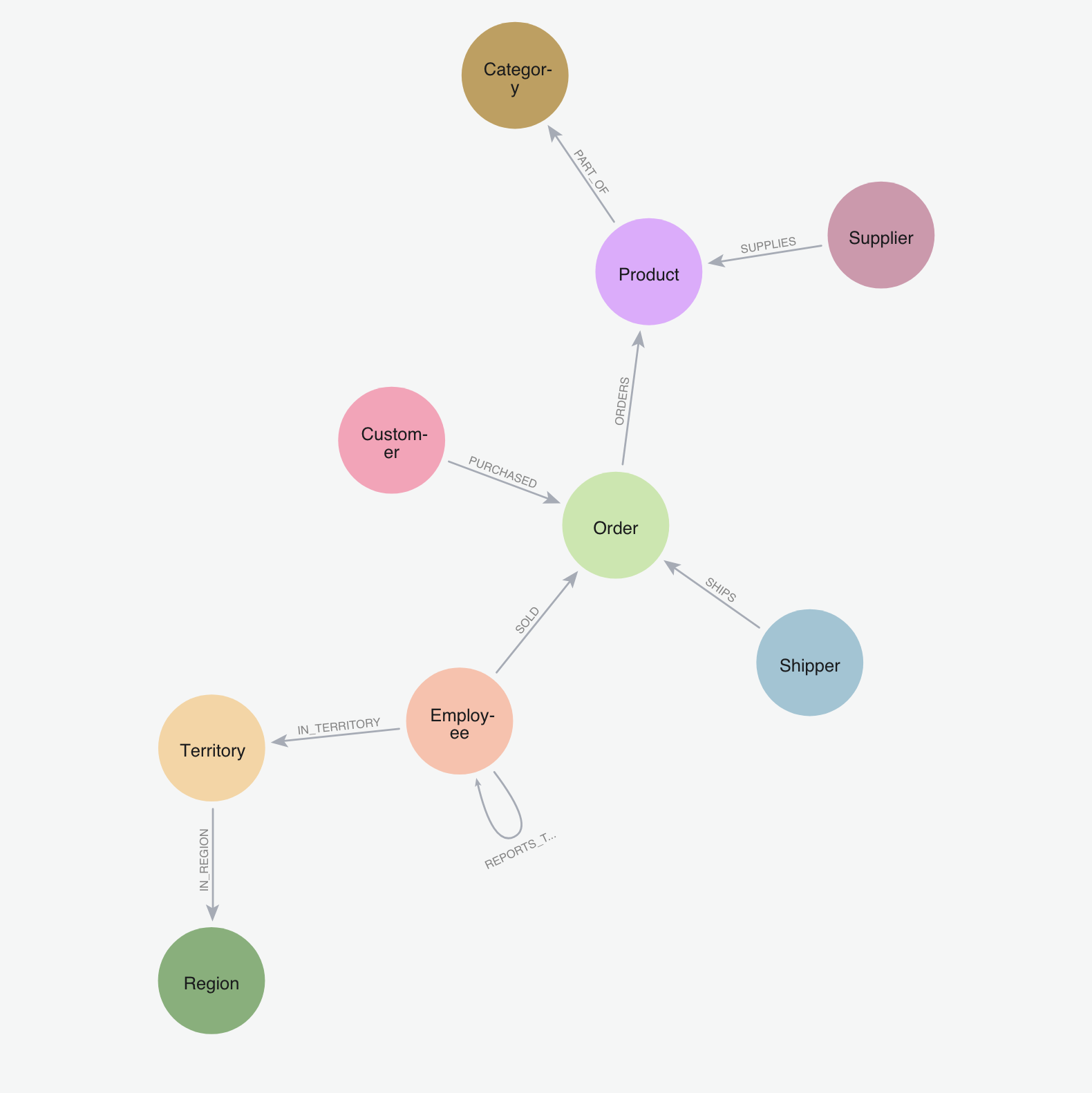
Northwind dataset schema
The Northwind dataset is a fictional trading company database originally created by Microsoft for SQL Server tutorials. It represents a small trading company that imports and exports specialty foods.
Key entities in the Northwind dataset include:
- Products: Specialty food items like beverages, condiments, and seafood
- Categories: Product groupings (e.g., Beverages, Confections, Dairy Products)
- Suppliers: Companies that provide the products
- Customers: Companies that buy the products
- Orders: Purchase transactions
- Employees: Staff members who handle orders
- Shippers: Companies that deliver the orders
The relationships between these entities demonstrate:
- One-to-many relationships (e.g., a Category contains multiple Products)
- Many-to-many relationships (e.g., Orders contain multiple Products, Products appear in multiple Orders)
- Self-referential relationships (e.g., Employees have a reporting structure)
The relationships are defined as
- IN_REGION: a territory belongs to a region
- IN_TERRITORY: an employee is in a territory
- product is PART_OF a category
- an order ORDERS (includes) products
- the relationship ORDERS has properties: unit price, quantity, discount
- a customer PURCHASED orders
- suppliers SUPPLIES products
- employees REPORT_TO employees
- an employee SOLD orders
Raw csv
The northwind dataset is available from the neo4j github repo: https://github.com/neo4j-contrib/northwind-neo4j
This other repo holds the csv files and the code to load the dataset https://github.com/neo4j-graph-examples/northwind
Schema viz
Once loaded you can see the whole schema with
CALL db.schema.visualization()
Let's Explore
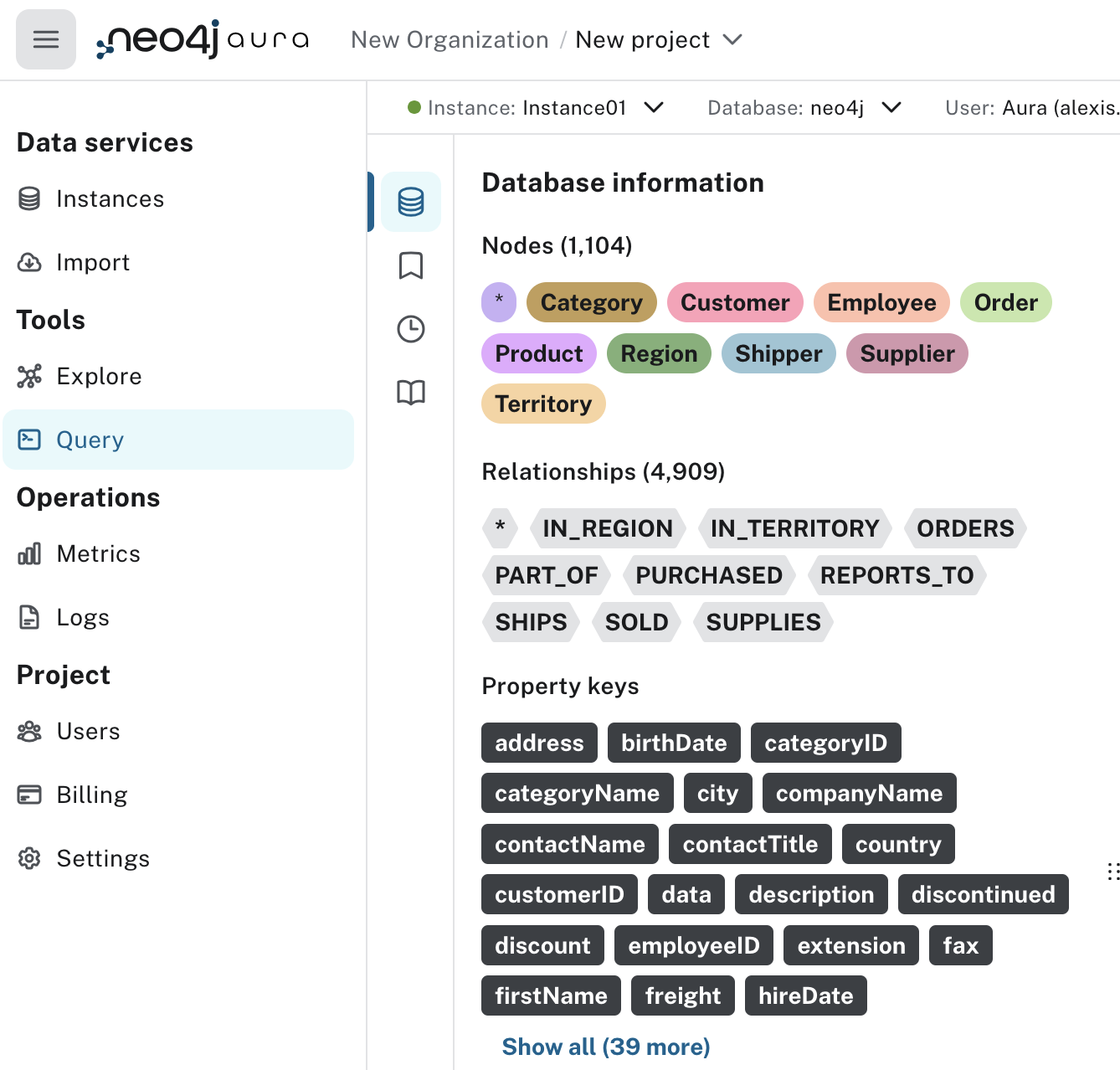
- Click on the PURCHASED relations and notice the query
MATCH p=()-[:PURCHASED]->() RETURN p LIMIT 25;
Edit the query and remove the LIMIT 25 to see the whole graph with the PURCHASED relationship
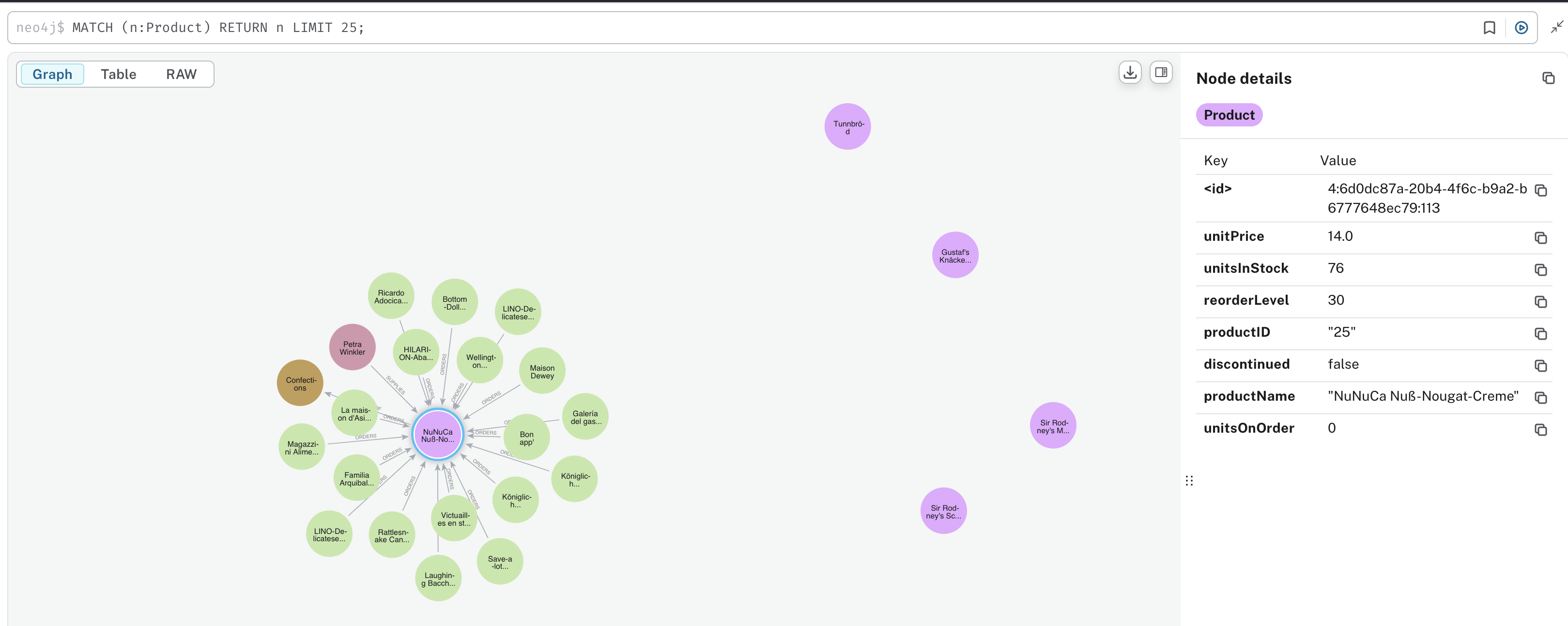
- Click on a Product node in the sidebar and then on one of the nodes in the graph
Note the cypher query
MATCH (n:Product) RETURN n LIMIT 25;
- find all the orders for all customers
A customer - purchased -> orders
So the cypher is
MATCH path=(c:Customer)-[pr:PURCHASED]->(o:Order) RETURN path LIMIT 25;
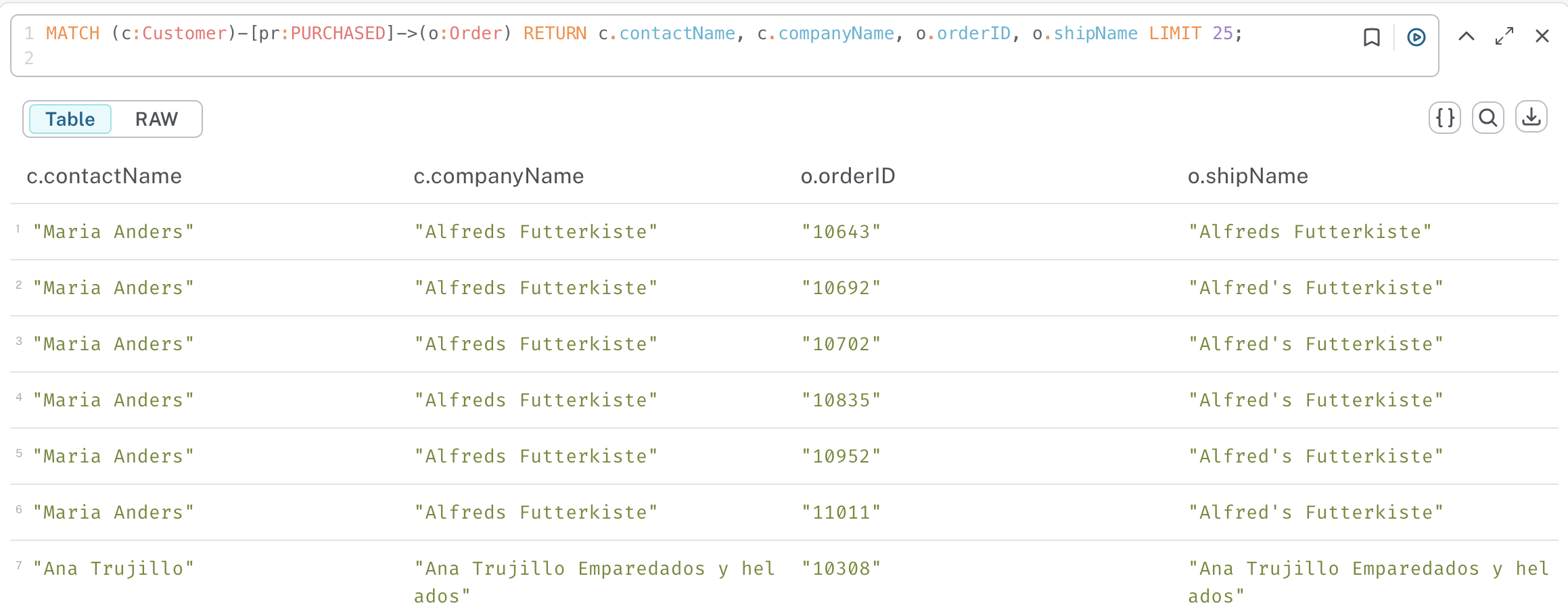
If you don't want the graph but want to return the table instead, just return the entities and relations that you need from the query.
For instance if we want to return the customer's contactName and companyName, the order's orderID and shipName, the query becomes
MATCH (c:Customer)-[pr:PURCHASED]->(o:Order) RETURN c.contactName, c.companyName, o.orderID, o.shipName LIMIT 25;
and you get the table
Cypher query syntax
A basic Cypher query follows this structure:
MATCH [pattern] - Define what to find in the graph
WHERE [conditions] - Optional: Filter the results
RETURN [what to show] - Specify output
LIMIT [number] - Optional: Restrict number of results
A MATCH pattern has three key components:
-
Nodes: In parentheses ()
- With labels: (p:Person)
- Properties: (p:Person {name: "John"})
- Anonymous: ()
-
Relationships: In square brackets []
- With types: -[:KNOWS]->
- Direction: -> or <-
- Anonymous: --
-
Variables: For referencing
- Node variables: (p:Person)
- Relationship variables: -[r:KNOWS]->
- Path variables: path=()-->()
Filtering, ordering, limiting, coalescing, ... in cypher with the MATCH clause, is not that different from regular SQL queries syntax .
See the cheat sheet for the MATCH clause
Your turn
Knowing the relations:
- Product PART_OF Category
- Suppliers :SUPPLIES Products
- Supplier SUPPLIES Product PART_OF Category
- Order :ORDERS Product
Write the following queries for graph and tables
- find all products over $50
- for seafood products,
- return product name and price
- display the graph
- Who supplies seafood product
- return productName, unitPrice, companyName, country
Returning more entities
This query returns the graph of suppliers who supply product > $50 and their categories.
MATCH path=(s:Supplier)-[:SUPPLIES]->(p:Product)-[:PART_OF]->(c:Category)
WHERE p.unitPrice > 50
RETURN path
What if we also want to see the orders for these products ?
Using WITH
MATCH path=(s:Supplier)-[:SUPPLIES]->(p:Product)-[:PART_OF]->(c:Category)
WHERE p.unitPrice > 50
WITH path, p
MATCH orderPath=(o:Order)-[: ORDERS ]->(p)
RETURN path, orderPath
this returns the first graph of suppliers, products and their categories. But also the orders for these products.
Back to practicing
-
Which categories have the most expensive products?
- use
max(p.unitPrice) AS maxPrice
- use
-
Find all orders shipped to London
-
find all the products shipped to London
-
Who are our top 5 customers by number of orders?
Optional MATCH
OPTIONAL MATCH works like a regular MATCH but when no matching relationships/patterns are found, it returns NULL instead of filtering out the record.
This Returns ALL products with their orders (if they exist)
MATCH (p:Product)
WHERE p.productName = 'Chai'
OPTIONAL MATCH (p)<-[o:ORDERS]-()
RETURN p.productName, o;
Will show:
- Product1, order_relationship1
- Product1, order_relationship2
- Product2, order_relationship3
- Product3, NULL // Product with no orders
- Product4, order_relationship5
OPTIONAL MATCH is like a LEFT JOIN in SQL : it keeps records from the left side (Products) even when there's no match on the right side (Orders).
So for instance looking at order counts
MATCH (p:Product)
WHERE p.produtName = "Aniseed Syrup"
OPTIONAL MATCH (p)<-[o:ORDERS]-()
RETURN p.productName,
       COUNT(o) as order_count;
Property Filters
These queries are equivalent and provide the same results.
MATCH (o:Order)-[:ORDERS]->(p:Product)
WHERE o.shipCity = 'London'
RETURN o.orderID, o.shipDate, p.productName, p.unitPrice
property pattern:
MATCH (o:Order { shipCity : 'London' })-[:ORDERS]->(p:Product)
RETURN o.orderID, o.shipDate, p.productName, p.unitPrice
The property pattern is slightly more performant as it filters earlier in the query execution. However, WHERE clauses offer more flexibility for complex conditions.
Back to you
-
find all the employees reporting to mr / mrs 'Fuller'
-
which product categories each supplier provides ?
- you can omit the relations between entities
- (s:Supplier)-->(:Product)-->(c:Category)
MATCH (s:Supplier)-->(:Product)-->(c:Category)
RETURN s.companyName AS company, collect( DISTINCT c.categoryName) AS categories
Create new relationships with MERGE
The pattern to create relationship VERB with properties
MATCH <source to target relation>
WITH source, target, some way of counting
WHERE define threshold or some filtering
MERGE (source)<->r:VERB</-/>(target)
SET r.<property name> = <property value>
Let's create new relationships : FREQUENTLY_BOUGHT_WITH: as in belong to the same order
Notice how you can point back to the product through the order.
First we find all the products that often (freq > 10) bought together.
MATCH (p1:Product)<-[:ORDERS]-(Order)-[:ORDERS]->(p2:Product)
WHERE p1 < p2
WITH p1, p2, count(*) AS frequency
WHERE frequency > 3
return p1.productName, p2.productName, frequency
ORDER BY frequency desc
Let's use the results of that query to create a new relation called FREQUENTLY_BOUGHT_WITH
and add the property weight = frequency
We do not specify any arrows which makes the relation bidirectional
MATCH (p1:Product)<-[:ORDERS]-(Order)-[:ORDERS]->(p2:Product)
WHERE p1 < p2
WITH p1, p2, count(*) AS frequency
WHERE frequency > 3
MERGE (p1)-[r:FREQUENTLY_BOUGHT_WITH]-(p2)
 SET r.weight= frequency
We see : Created 58 relationships, set 58 properties
now we can visualize the products using this relation
MATCH p=()-[:FREQUENTLY_BOUGHT_WITH]->() RETURN p
Your turn to create a new relationship
create new relations
- Employee to Employee (worked together)
- as in employees who PROCESSED the same orders
Other example
MATCH (c:Customer)-[:PURCHASED]->(:Order)-[:ORDERS]->(p:Product)<-[:ORDERS]-(:Order)<-[:PURCHASED]-(c2:Customer)
WHERE c < c2
// find similar customers
WITH c, c2, count(*) as similarity
// with at least 50 shared product purchases
WHERE similarity > 50
// create a relationship between the two without specifying direction
MERGE (c)-[sim:SIMILAR_TO]-(c2)
// set relationship weight from similairity
ON CREATE SET sim.weight = similarity